
- Home
- Roaming
Roaming that’s already in your plan
Land, switch on and carry on. Your minutes, texts and data work abroad just like at home.

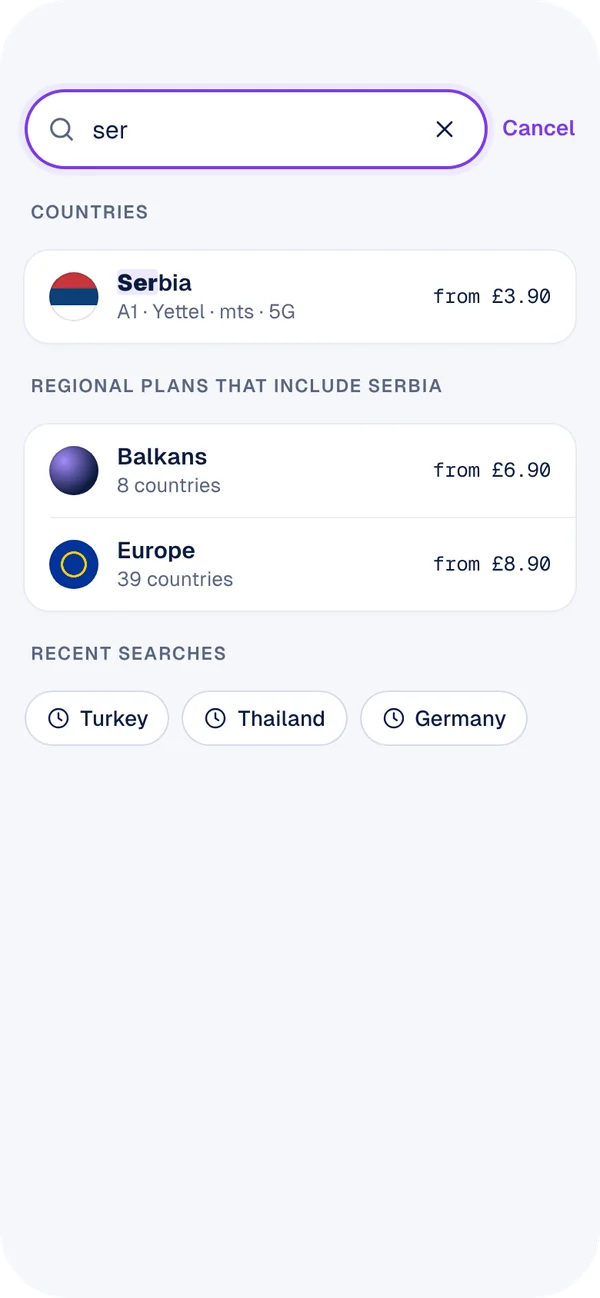
Where are you going?
Type a country to see what’s included on each plan.
Travelling somewhere not on the list? Buy travel data in the app.
 Spain
SpainDestinations by region
 Ireland
 France
 GermanySpain
 Italy
Italy Portugal
 Netherlands
 Sweden
 Switzerland
Destinations shown are a selection. The number of included destinations depends on your plan: Essential 50, Unlimited 100+, Unlimited Max 150+. See all destinations.
How roaming works
Before you go
Check roaming is switched on in the app under Plan → Roaming. It’s on by default.
When you land
Turn off flight mode. Your phone connects to a partner network automatically.
While you’re away
Use your plan as normal. Track your usage live in the app and get alerts before you hit fair use limits.
Going further? Add travel data.
For destinations outside your plan, buy a local data eSIM in the app and pay from your balance. Your UK number keeps working for calls and texts over data and Wi-Fi.
Roaming questions
Do I need to do anything before I travel?
No. Roaming is on by default. Just check it hasn’t been switched off in the app.
Is there a limit on roaming data?
Roaming is subject to our roaming fair use policy. You can track your usage live in the app, and we’ll alert you before you reach a limit.
Can I make calls on a cruise ship or plane?
Maritime and in-flight networks aren’t included in roaming. Use Wi-Fi calling where the ship or airline offers Wi-Fi.
What if my phone doesn’t connect abroad?
Turn data roaming on in your phone’s settings, restart, and if that doesn’t help, chat with us in the app.
Important information
Roaming applies in included destinations only and is subject to our roaming fair use policy. Roaming is intended for periodic travel; extended use abroad may be limited. Maritime, satellite and in-flight networks are excluded. Partner network availability varies by location.